
You're usually not shopping for cameras because things are calm. It's more often after a break-in, a staff incident, a dodgy insurance claim, or a manager finding out too late that the footage they needed was blurry, missing, or stored in the wrong place.
That's the issue with commercial CCTV security systems in Queensland. Most sites can get cameras on a wall. Far fewer get a system that records clearly, keeps time accurately, stores footage long enough, and stands up when police, an insurer, a body corporate, or a workplace investigator asks for evidence. In practice, the camera itself is often the easiest part. The harder part is the compliance stack behind it: AS/NZS 62676, AS 3000, privacy obligations, licensed installation, and a maintenance plan that keeps the system usable after handover.
Table of Contents
- Why Commercial CCTV Security Systems Matter for Queensland Businesses
- Core Components of a Commercial CCTV Security System
- Analogue Versus IP and Edge Versus Cloud Deployment
- Australian Standards and Queensland Privacy Compliance
- Designing a System for Different Business Types
- Expected Outcomes, ROI, and Insurance Benefits
- Choosing an Installer and Maintenance Plan
- Bringing It All Together for Your Site
Why Commercial CCTV Security Systems Matter for Queensland Businesses
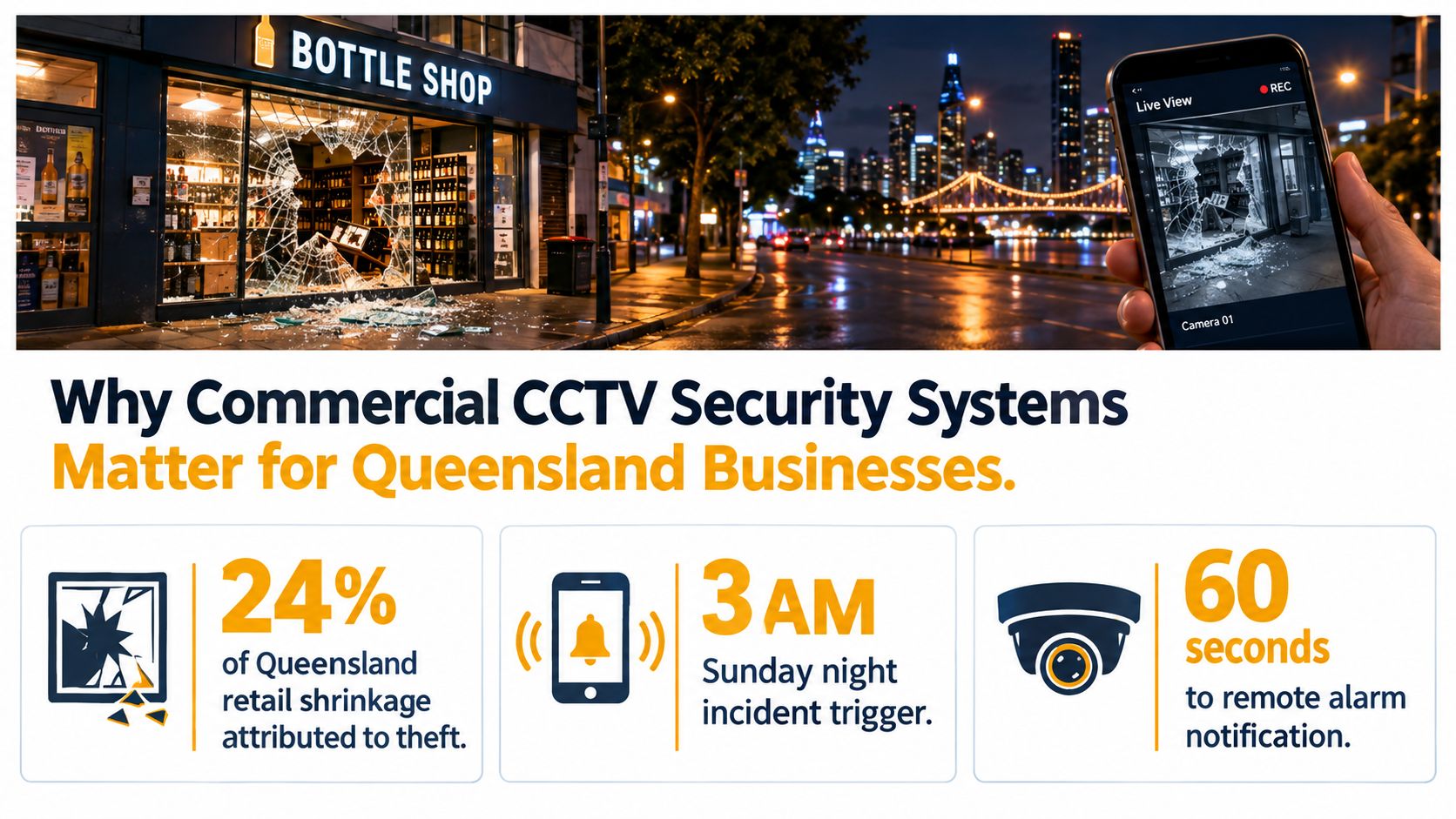
A Brisbane bottle shop owner gets a call late Sunday night. Front glass smashed. Alarm has triggered. The first hour decides whether the incident becomes a simple clean-up job or a drawn-out mess involving missing stock, no clear offender image, and an insurer asking awkward questions.
On a site with no CCTV, the owner is guessing. Did the offender force entry or walk in through a failed door? Was it one person or three? Did they arrive in a vehicle? Did staff lock up properly? Police get a report, but there's very little to work with beyond damage photos and whatever the neighbours happened to hear.
On a site with a properly designed system, the owner can check live vision on a phone, confirm whether the offender has left, review the approach path, save the relevant clip, and pass usable footage on quickly. If the alarm system and cameras are integrated, that response gets faster and cleaner again.
What businesses are actually buying
Most owners in South East Queensland invest in CCTV for four practical reasons.
- Deterrence at the front end: Visible cameras, proper lighting, and signage make a site less attractive to opportunists and repeat visitors.
- Evidence after the event: Good footage helps with police reports, internal investigations, property damage disputes, and workplace incident reviews.
- Insurance support: Insurers want to see that a system is documented, maintained, and suited to the risk.
- Operational visibility: Multi-site operators want to check opening, closing, deliveries, after-hours access, and contractor activity without driving between sites.
There's also a bigger market reality behind this. CCTV isn't niche in Australia. The Australian Institute of Criminology found 33 open-street CCTV systems operating in Australian locations as of October 2002, with Queensland accounting for 10 and New South Wales 11. By 2014, 57% of councils had at least one CCTV system in operation, up from 9% in 2005, and 67% of Queensland councils reported having CCTV. The same survey found 81% of councils had received at least one police request for footage in 2012–13, which shows how routinely recorded vision gets used as evidence in Australian investigations, as set out by the Australian Institute of Criminology survey of CCTV use by councils.
Practical rule: If your system can't produce the right clip quickly, with clear time and date, it's not doing the main job you bought it for.
The camera is only part of it
Owners often start by asking which brand or resolution they need. Fair question, but it's not the deciding one. The system only works properly when the recording method, cabling, storage, privacy settings, and installer documentation all line up. That's where a lot of commercial CCTV security systems either become a genuine business tool or an expensive set of blinking lights.
Core Components of a Commercial CCTV Security System
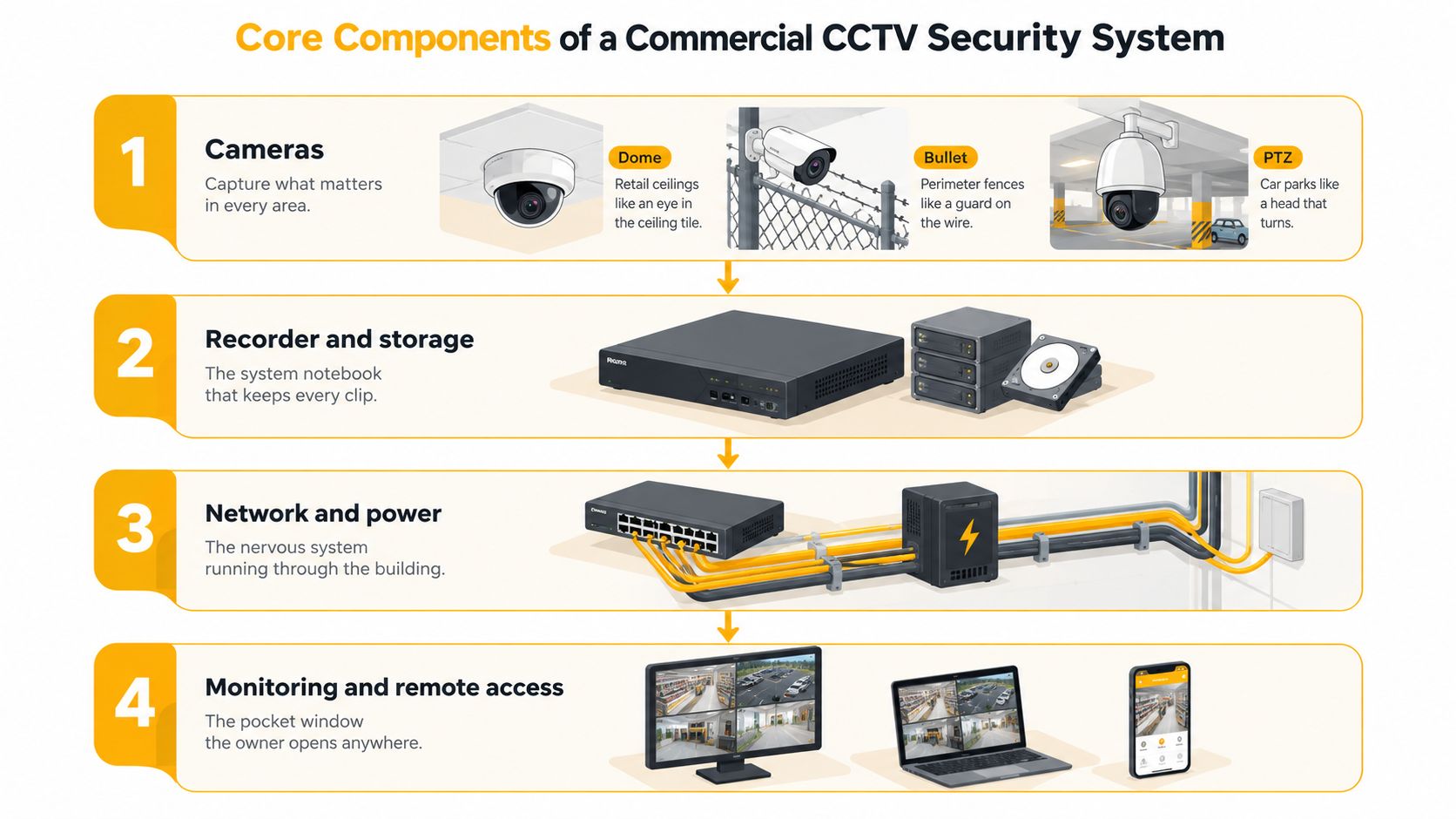
A commercial CCTV system works best when you think of it in layers. If one layer is weak, the whole system feels unreliable even when the cameras themselves are decent.
Cameras and field of view
The camera is the eye, but different eyes suit different jobs.
A dome camera is common inside retail shops, office entries, lift lobbies, and reception areas. It sits neatly on a ceiling, is harder to tamper with, and covers short to medium distances well. A bullet camera suits perimeter fences, loading docks, laneways, and external walls where you want a more obvious deterrent and a longer viewing corridor. A PTZ camera fits larger car parks and yards where an operator may need to move, zoom, and track across a broader area.
Lens choice matters just as much as camera type. Fixed lens cameras are fine where the scene won't change. Varifocal cameras give flexibility during setup, which is useful when the actual view doesn't quite match the plan. Multi-sensor units can cover broad areas with fewer mounting points, but they still need careful angle control to avoid wasted footage.
Recorders and storage logic
The recorder is the system notebook. It decides whether footage is available when you need it.
A DVR is usually tied to analogue-based camera systems over coax. An NVR is built for IP cameras and network recording. Most new commercial jobs in Queensland lean toward NVR architecture because it suits IP cameras, remote management, and analytics more cleanly. If you want a more detailed breakdown of camera types before you choose hardware, this guide on commercial CCTV cameras is a useful starting point.
Network and power
Plenty of jobs go wrong here. The network is the nervous system. If it's underpowered or badly segmented, you get dropouts, poor playback, and unexplained faults.
Look at these points early:
- PoE budget: A switch can have enough ports and still fail if it can't supply enough power across all connected cameras.
- Cable standard: Cat6A is a sensible choice on many new commercial sites, especially where future growth is likely.
- Traffic separation: CCTV should usually sit on its own VLAN instead of sharing freely with POS, office data, and guest Wi-Fi.
- Existing switch limits: If the client's current switch can't power the new cameras, add the right PoE switching rather than forcing a compromised design.
Analytics and system behaviour
Analytics are useful when they solve an actual operating problem. Basic motion detection has its place, but many sites now want line crossing, loitering alerts, people counting, heat mapping, or vehicle plate recognition.
A cheap camera with good power, network stability, and sensible recording rules will usually outperform a flashy camera bolted onto a weak network.
The long-term reliability of commercial CCTV security systems is usually decided by the recorder, network, and analytics settings. That's what affects clip retrieval, false alerts, and whether the owner trusts the system enough to use it.
Analogue Versus IP and Edge Versus Cloud Deployment
Some decisions in CCTV are mostly preference. These two aren't. They shape labour, retrieval speed, upgrade path, and ongoing running cost.
Analogue HD versus IP
Analogue HD formats such as HD-TVI or CVI still have a place, mainly where a site already has sound coaxial cabling and the owner wants an upgrade without major cable replacement. For a small legacy tenancy, that can be a practical call.
For most new commercial work in Queensland, IP is the default. One cable can carry power and data through PoE, integration with analytics is simpler, remote management is cleaner, and interoperability is stronger when the gear is selected properly. IP also makes expansion easier when a site adds cameras later.
The operational difference shows up when someone asks for footage from a precise event. On an IP-based NVR system with sensible camera naming, time sync, and search tools, finding the clip is generally faster and more organised. On older analogue systems, exports can be clunkier and footage review can take longer.
Edge versus cloud
“Cloud CCTV” gets thrown around loosely. On most commercial sites, the sensible model is hybrid rather than pure cloud.
Edge or on-premise recording means the NVR, or sometimes the camera itself, handles the main processing and storage onsite. Cloud features are then used for remote viewing, app alerts, health monitoring, and selected offsite backup.
Pure cloud recording is still uncommon on many commercial sites because of three practical issues:
- Bandwidth pressure
- Ongoing subscription cost
- Questions around data location, access control, and auditability
The bandwidth side matters more than many owners realise. A Department of Home Affairs report noted that a typical 640×480 camera at 10 fps in MJPEG can require about 3 Mbps, while the same camera using H.264 may need only 0.24 Mbps. The same guidance estimates a typical 1080p H.265 stream at roughly 12–25 GB per camera per day, with remote viewing requiring about 2–4 Mbps for a 1080p stream and 8–15 Mbps for 4K, according to the Department of Home Affairs CCTV futures report.
Deployment Options Compared for Queensland Commercial Sites
| Option | Best Fit | Strength | Weakness | Typical AUD Cost Range |
|---|---|---|---|---|
| Analogue HD with DVR | Existing sites with usable coax | Lower upgrade disruption | Less flexible for future analytics and expansion | Varies by site scope |
| IP with NVR | New builds and major refurbishments | Better scalability, PoE, cleaner remote management | Needs proper network design | Varies by site scope |
| Edge-heavy hybrid | Most commercial premises | Keeps primary recording onsite while allowing remote access | Still needs bandwidth planning for alerts and viewing | Varies by site scope |
| Pure cloud | Small sites with light recording needs | Offsite access and simpler distributed management | Subscription cost and uplink dependence | Varies by site scope |
For most South East Queensland businesses, the safest default is on-premise NVR recording with managed cloud access, sized around the footage retention your insurer, internal policies, and privacy obligations require.
Australian Standards and Queensland Privacy Compliance
This is the part many buyers leave until the end. It should be near the top of the brief. If the standards and privacy settings are wrong, the system may still record video, but that doesn't mean the installation is lawful, safe, or fit for evidence.
The standards stack in plain terms
For video performance, the anchor point is AS/NZS 62676. ASIAL identifies parts of the series covering system requirements, video transmission performance, image-quality performance, data specifications, interoperability, and application guidance in its summary of the AS/NZS 62676 CCTV standards framework. In practice, that means camera selection, compression, transmission, and image targets should be specified together.
For electrical and cabling work, AS 3000 still matters. Queensland education electronic security guidance also points to AS 62676, AS 3000, and relevant cabling rules as the practical compliance stack for surveillance installations, as outlined in the Queensland education electronic security guidelines.
Queensland's privacy position matters just as much. The Office of the Information Commissioner states that camera surveillance can collect personal information and that agencies using cameras must comply with the Queensland Privacy Principles in the Information Privacy Act 2009 (Qld), including collection and notice obligations, as noted in the Queensland privacy guidance on surveillance technology.
What that changes on a real site
A compliant design usually means:
- Entrance signage: People should be put on notice that surveillance is operating.
- Justified camera views: Don't point cameras where coverage isn't needed, especially near neighbouring property or sensitive staff spaces.
- Controlled access to footage: Limit who can view, export, and delete recordings.
- Documented disclosure process: If police request footage, the release should be logged properly.
- Installer licensing: Some environments require maintenance by an appropriately qualified security provider holding the relevant installer licence.
Audio needs special care. Businesses often ask for microphones as an afterthought. That can create legal and workplace headaches quickly if it isn't handled correctly and transparently.
If you can't explain why a camera is aimed at a space, it probably shouldn't be aimed there.
Compliance Matrix Standard to Design Choice
| Standard or Law | What It Covers | Design or Operational Implication |
|---|---|---|
| AS/NZS 62676 | Video surveillance system performance and image quality | Define image goals, recording settings, interoperability, and transmission requirements before purchase |
| AS 3000 | Electrical installation safety | Ensure compliant power supplies, segregation, and safe installation methods |
| Information Privacy Act 2009 (Qld) and Queensland Privacy Principles | Collection of personal information and notice obligations | Use signage, limit collection to a clear purpose, control access to footage |
| Queensland licensing requirements for security installation work | Who may lawfully install and maintain regulated systems | Confirm the installer and maintenance provider hold the right current licences |
Queensland doesn't have one simple all-purpose CCTV Act. The Queensland Law Reform Commission has noted that the Invasion of Privacy Act 1971 regulates listening devices rather than creating a full optical surveillance regime, which is why CCTV often ends up governed through privacy, records, and workplace policy settings instead, as discussed in the Queensland Law Reform Commission working paper on privacy laws.
Designing a System for Different Business Types
The right design starts with how the site operates. A shop, a bar, an industrial yard, and a strata complex can all have the same number of cameras and still have wildly different outcomes because the coverage logic is different.
Retail and hospitality
A suburban retail shop usually needs clear entry coverage, broad floor observation, and a dependable view over the point-of-sale area. The job isn't just to see movement. It's to identify transactions, approaches, and exits. Ceiling domes are common because they cover customer areas neatly and hold up well in daily trade.
Hospitality changes the brief. A Brisbane CBD bar or late-trading venue often needs stronger low-light performance, tighter entry capture, and careful handling of outdoor dining areas. You want enough detail at entrances to review incidents later, but you also don't want overspill into public or neighbouring spaces that the venue doesn't need to monitor.
Industrial yards and warehouses
Industrial sites in Yatala, the western corridor, or larger sheds around Ipswich usually need fewer decorative touches and more resilience. Weather-rated bullets, turret cameras, or PTZ units do the heavy lifting around fences, gates, hardstands, and loading areas.
Retention also tends to matter more on these sites. Footage may be needed for unauthorised entry, vehicle disputes, after-hours deliveries, or workplace incident review. Dust, glare, and long sightlines are usually bigger challenges than the brochure suggests.
Strata and body corporate sites
Strata sites are their own category. Lobby, lift, mail room, bin area, and car park coverage can all be justified, but privacy masking becomes important where cameras might otherwise catch neighbouring windows, balconies, or private-use areas.
Body corporate committees also need to think about who can access footage, who approves exports, and how resident complaints are handled. A good strata CCTV setup isn't just a technical install. It's an access and governance system.
Good CCTV design follows site purpose first and camera count second.
CCTV Design by Business Type
| Business Type | Primary Camera Choice | Retention | Analytics Priority |
|---|---|---|---|
| Retail shop | Internal domes with focused entry coverage | Commonly around 30 days, depending on policy and risk | People movement, POS area review, entry alerts |
| Hospitality venue | Low-light entry cameras and internal wide coverage | Based on incident risk and venue operations | Entry monitoring, crowd movement, after-hours review |
| Industrial yard or warehouse | External bullets, turrets, and selected PTZ coverage | Often longer where WHS and access events matter | Perimeter breach, vehicle movement, gate activity |
| Strata apartment complex | Lobby, lift, and car park cameras with privacy masking | Based on body corporate policy and incident needs | Access-path review, common area incidents |
What works on one site often fails on another because the wrong problem is being solved. That's why a proper walk-through matters before anyone starts counting cameras.
Expected Outcomes, ROI, and Insurance Benefits
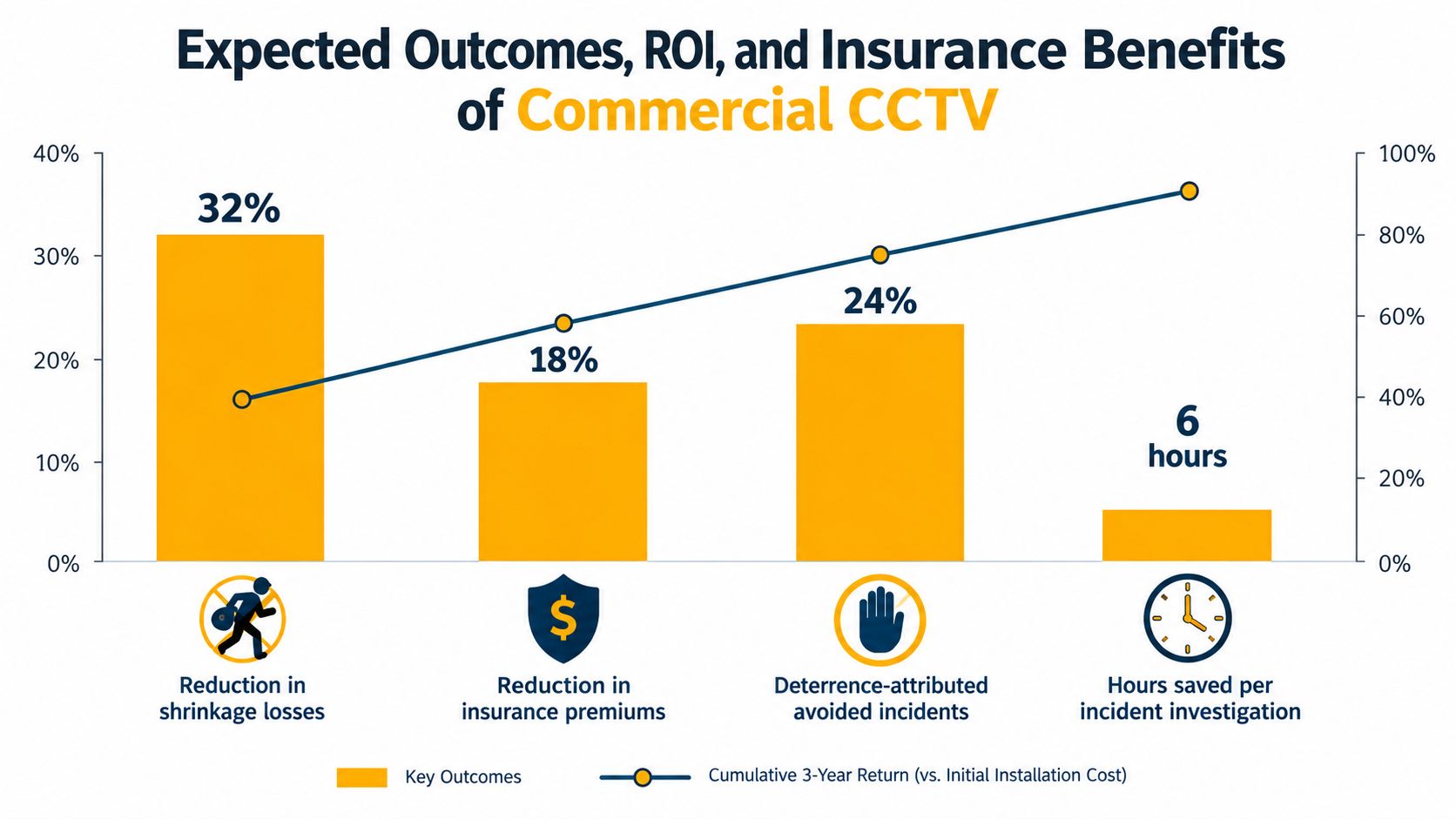
The return from CCTV doesn't come from owning cameras. It comes from having footage that people can use, retrieve, and trust. A blurry image over the wrong doorway has no meaningful return, even if the install was cheap.
There's no single dollar figure that fits every site, and I won't pretend otherwise. Retail, hospitality, industrial, and strata jobs all produce value in different ways. On some sites the main gain is deterrence. On others it's incident evidence, reduced dispute time, or better control across multiple locations. If you're trying to plan budget, this guide on CCTV installation cost helps frame the capital side properly.
Where the return usually shows up
The first return is often investigation speed. Managers stop wasting hours hunting through poor exports or incomplete timelines. The second is liability control. When a claim, complaint, or damage allegation comes in, clear footage can support or challenge the story quickly.
Insurance conversations also improve when the system is documented, maintained, and matched to the site risk. Some insurers care less about the badge on the camera and more about whether the site can prove coverage, retention, and service history.
Australian market data also shows this category is firmly established, not experimental. One market estimate places the Australia CCTV market at USD 1.4 billion in 2025 and projects growth to USD 6.2 billion by 2034 at a 17.35% CAGR. Another values the Australian CCTV camera market at AUD 919.60 million in 2025 and projects it to reach nearly AUD 1.61 billion by 2035 at a 5.76% CAGR. A separate analysis estimates an addressable market of AUD 1.2–1.5 billion and an installed base of approximately 2.5–3 million camera units across Australia, according to Australian CCTV market commentary compiled by IMARC.
What doesn't produce ROI
These are the common misses:
- Bad placement: A camera watching the top of heads won't identify much.
- Wrong retention settings: Useful footage gets overwritten before anyone asks for it.
- No maintenance: Dirty lenses, failed drives, wrong time settings, and full storage kill evidentiary value.
- Overcomplicated apps: If managers don't use the platform, the system loses operational value fast.
The useful way to judge return is simple. Did the system change response, reduce uncertainty, or settle an incident faster than you could have done without it? If yes, it's doing work.
Choosing an Installer and Maintenance Plan
A good quote isn't the cheapest quote. It's the one that tells you exactly what's being installed, how long footage will be retained, what standards the design follows, who is licensed to perform the work, and what happens after handover.
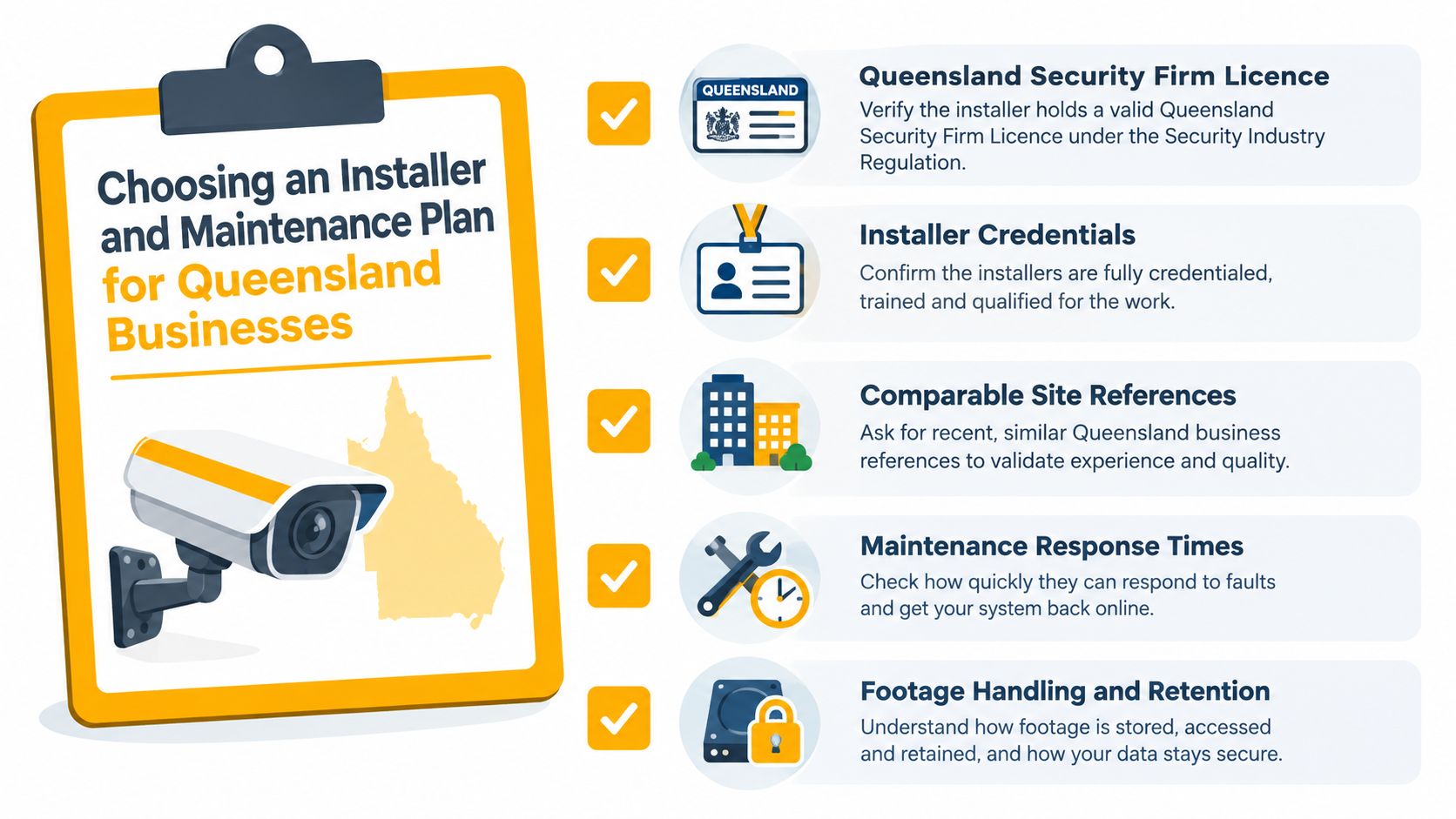
Licence and compliance checks that matter
In Queensland, don't stop at the company name on the quote. Ask for the actual licence details relevant to the work. Also confirm who is doing the installation, programming, and ongoing servicing.
Check these items:
- Security licensing: Confirm the business holds the appropriate Queensland security provider licensing for consulting and installer work.
- Installer credentials: Ask which individual technicians will attend and what licences they hold.
- Cabling competency: If the job includes structured cabling or fibre, confirm the work is being handled by appropriately qualified people.
- Commissioning records: Ask whether the handover will include settings, camera list, storage details, user access records, and test results against the agreed scope.
Queensland public-sector CCTV policy references have long been anchored to Australian Standards such as AS 4806.1-2006 and related parts, which reinforces the point that local compliance practice expects documented standards-based installation rather than generic vendor setup, as reflected in the Queensland Ombudsman CCTV policy and procedure example.
What to put in an RFQ
If you want quotes that are comparable, the request for quote needs real scope.
Include these points:
- Coverage intent: Entry, till, car park, dock, fence line, lift lobby, bin room.
- Retention requirement: State how long footage must be available under normal operation.
- Export requirement: Note whether police-ready or insurer-ready exports are expected.
- Access method: Mobile app, desktop client, nominated user levels.
- Maintenance expectation: Inspection frequency, firmware policy, response times, and reporting.
If you're aligning CCTV with intruder detection, after-hours alerts, or monitored response, it's also worth understanding how the camera system will interface with a broader commercial security alarm system.
Here's a short visual summary worth reviewing before you compare providers:
Maintenance is what keeps footage usable
A realistic plan usually includes lens cleaning, image review, recorder health checks, firmware management, time-sync verification, and storage checks. Hard drives fail. Cameras get bumped. Time settings drift. None of that announces itself politely.
One local option for this type of work is Celtic Fire & Security, which provides commercial CCTV installation, servicing, and scheduled preventative maintenance in parts of South East Queensland under current trade, security, and electrical licences. That matters less as a brand point than as a reminder that your installer should be able to handle design, installation, documentation, and ongoing service under the right licences.
Watch for red flags. Cash-only jobs, vague scope, no handover pack, no retention calculation, and no mention of standards usually mean trouble later.
Bringing It All Together for Your Site
The easiest way to get CCTV wrong is to buy it as three separate purchases. Cameras first. Privacy later. Maintenance whenever something breaks. That approach nearly always costs more and delivers less.
Treat the job as one package. Start with the site's actual risk points. Front entry, rear lane, dock, till area, staff-only room, lift, car park, or perimeter gate. Then decide whether the site suits analogue reuse or a full IP path, and whether the recorder will live entirely onsite or in a hybrid setup with managed cloud access.
After that, map the coverage properly. Not roughly. Properly. Every camera should have a reason, a field of view, a recording rule, and a storage impact. The specification should also state who can access footage, how long it stays available, what signage is required, and who maintains the system after handover.
A sensible shortlist is usually three licensed installers. Ask each one for the same scope, the same retention target, and the same handover requirements so you can compare apples with apples. If one quote is far cheaper, check what has been stripped out. It's often storage, maintenance, commissioning, or compliance detail.
The owners who get the best results usually do one thing differently. They buy a system that will still make sense in twelve months, not just one that looks affordable this week.
Celtic Fire & Security supplies, installs, tests, and maintains commercial CCTV, alarms, and related security systems for businesses across North Brisbane, Moreton Bay, the Sunshine Coast, Somerset, and Ipswich. If you need a site walk-through, a written scope that references the relevant Australian standards, or a maintenance plan that keeps your footage usable, visit Celtic Fire & Security.
No responses yet